
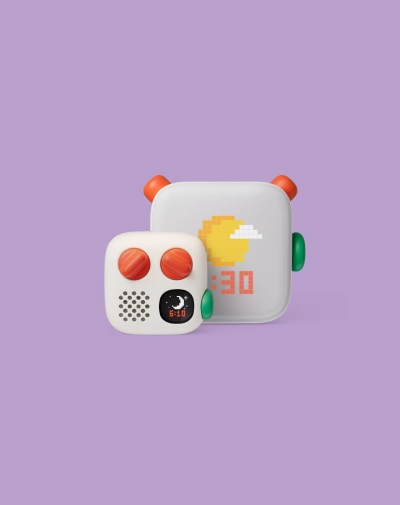
Yoto quietly became one of the most trusted names in screen-free kids’ audio, and its October 2026 hardware refresh is the biggest one yet. The Yoto Player 4th Gen launched at $149.99 — a full $50 more than the outgoing 3rd generation — with a new headline feature called the Green Button that lets kids play their favorite content without hunting for a card first. That’s a steep jump for a device that already worked well for most families, so before you add one more thing to a wishlist or gift registry, it’s worth knowing exactly what changed, what got worse, and whether the extra cost buys something you’ll actually use every day.
What's New in the Yoto Player 4th Gen
The 4th generation isn’t just a fresh coat of paint. Internal storage doubled to 64GB, enough to hold more than 1,000 hours of offline audio, and the player now runs on Wi-Fi 6 and Bluetooth 6.1 with a newer processor for faster loading and smoother syncing with the Yoto app. The speaker was rebuilt as an acoustically engineered stereo array instead of the single stereo unit in the previous model, and the night light got a real overhaul: it’s now a full-panel light with seven customizable colors, plus day/night visual clock cues and an Ok-to-Wake indicator built in. Charging is USB-C or an optional wireless charging base, and every 4th gen unit ships with a standard two-year warranty. Yoto’s team has described the update as touching “everything under the hood,” the result of roughly three years of development.
Yoto Player 4th Gen vs 3rd Gen: Full Spec Comparison
Feature | 3rd Gen | 4th Gen |
Price | $99.99 | $149.99 |
Storage | 32GB (600+ hrs offline) | 64GB (1,000+ hrs offline) |
Battery life | Up to 16 hours | Up to 14 hours |
Speaker | 40mm 5W stereo speaker | Acoustically engineered stereo array |
Wi-Fi / Bluetooth | Standard Wi-Fi / Bluetooth | Wi-Fi 6 / Bluetooth 6.1 |
Night light | 7-color, standard panel | Full-panel, 7 colors + clock cues |
Charging | USB-C, wireless dock sold separately | USB-C or included wireless base option |
Cardless playback | Not available | Yes — Green Button |
What Does the Green Button Actually Do?
The Green Button is the feature Yoto is leading with, and it solves a real, specific annoyance: the mad scramble to find the right card during a meltdown or a bedtime rush. Parents program up to 20 daytime titles and 20 nighttime titles through the Yoto app — stories, songs, podcasts, or soundscapes — and the player displays them as full-color cover art on its screen. Press the green button and the child can pick from that curated list without a card ever touching the slot. It also opens the door to digital-only content that never had a physical card in the first place, like toothbrushing timers or sleep soundscapes, and it lets you set up separate playlists for mornings and bedtime so the same device adapts to two very different parts of the day.
What You Lose: The Trade-Offs of Upgrading
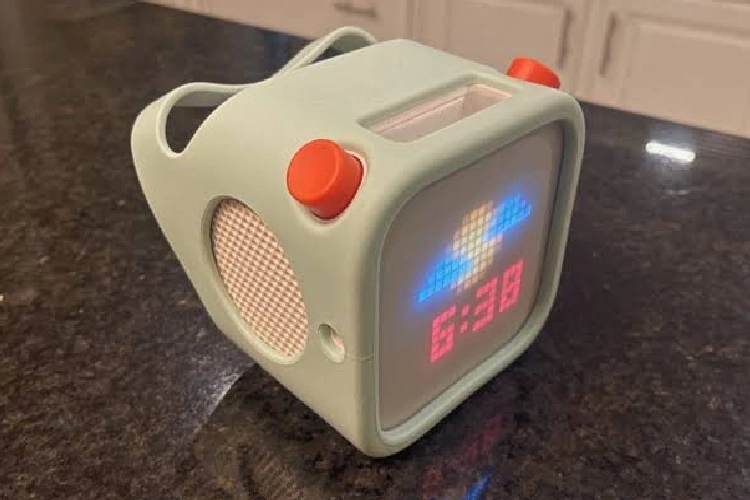
The 4th gen isn’t a strict upgrade in every category. Battery life actually dropped, from up to 16 hours on the 3rd gen down to 14 hours on the new model, likely a trade-off for the brighter full-panel night light and faster wireless chips. The battery also isn’t user-replaceable yet; Yoto has said a replacement kit is coming in 2027, which means early 4th gen buyers are in the same position 3rd gen owners were in for years. And at launch, some of the interactive card features don’t yet work on the new hardware — Yoto has confirmed this is temporary and being patched in, but it’s worth knowing before you buy if your child relies on a specific interactive card series.
- Roughly 50% price increase over the 3rd gen ($99.99 to $149.99)
- Battery life down two hours compared to the outgoing model
- Battery isn’t user-replaceable until the 2027 kit ships
- A handful of interactive cards aren’t fully compatible at launch
Should You Upgrade? Who It's Worth It For
If you already own a working 3rd gen Yoto Player, there’s no urgent reason to replace it — the core experience (stories, music, podcasts, screen-free operation) is unchanged, and $50 is a lot to pay for a night light and a shortcut button. Where the 4th gen earns its price is with new buyers who don’t already own a Yoto, especially families who lean hard on a consistent bedtime routine and would genuinely use the Green Button every night, or households buying their first player and want the longest runway before the hardware feels dated.
- Upgrade or buy new if: this is your first Yoto, you want the longer offline storage, or a fixed bedtime/morning playlist would actually get used daily
- Skip it if: your current player still works fine, you rely on specific interactive cards, or battery life matters more to you than the night light and Green Button
Where the Yoto Mini 4th Gen Fits In
Yoto also refreshed the portable Mini alongside the full-size Player, with its own set of changes — most notably real water resistance for the first time. If portability matters more than a stationary bedroom setup, read our full Yoto Mini 4th Gen review before deciding which device fits your family better.
Frequently Asked Questions
Is the Yoto Player 4th Gen compatible with old Yoto Cards?
Yes. Standard Yoto Cards work on the 4th gen player. A small number of interactive card features aren’t fully supported at launch, but Yoto has said that’s a temporary limitation being resolved through software updates.
Does the 4th Gen still have a night light and room thermometer?
The night light is not only still there, it’s upgraded to a full-panel light with seven colors and new day/night clock cues. Yoto hasn’t dropped the room thermometer feature from the lineup.
Is the 4th Gen's battery replaceable?
Not yet. Yoto has announced a user-replaceable battery kit for the 4th generation models, expected in 2027.
What age is the Yoto Player designed for?
Yoto certifies the Player for ages 3 and up, though the content library spans infant-friendly sleep sounds through material for kids 12 and older.
Final Verdict
The Yoto Player 4th Gen is a genuine upgrade in storage, connectivity, and convenience, and the Green Button is the kind of feature that sounds minor until you’re the parent digging through a card box at 7:45 pm. But it’s not free, and the trade-offs — a shorter battery life, a non-replaceable cell for now, and a $50 price jump — are real enough that current 3rd gen owners shouldn’t feel pressured to switch. For anyone buying their first Yoto Player today, though, the 4th gen is the easier recommendation of the two.