
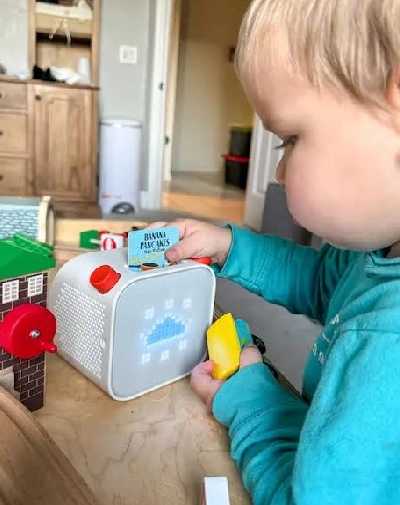
Yoto shows up on baby registries more often than its own age rating would suggest. The screen-free pitch is exactly what parents of infants are looking for, and a nursery already needs a sound machine, so it’s natural to wonder whether one device could cover both jobs years ahead of schedule. Officially, Yoto certifies the Player and Mini for ages 3 and up — which leaves a real gap for anyone asking whether it’s worth buying while their child is still a baby. Here’s what that age rating actually means in practice, and whether the purchase makes sense this early.
What Age Is Yoto Officially Recommended For?
Yoto’s own support documentation states plainly that the Player and Mini “are certified as suitable for children aged 3 and over,” with children under 3 needing adult supervision during use, and charging kept out of reach at all times. That said, some retail listings for the Mini describe it as suitable from age 0, while still carrying a choking-hazard warning for children under 36 months due to small parts and cords. In practice, that means Yoto is safety-certified as a toy a 3-year-old can operate independently — not a baby product — even though the content library includes plenty of material aimed squarely at infants, like lullabies and white-noise soundscapes.
How Parents Actually Use Yoto With Babies Under 2
The families who buy a Yoto early aren’t usually handing it to their baby to operate. In practice, it functions as a parent-controlled nursery audio device for the first couple of years: the adult loads a card or sets up the app, presses play, and the device runs in the background for sleep, quiet time, or a wind-down routine. The interactive part Yoto is known for — a toddler picking a card and slotting it in themselves — typically doesn’t start until closer to age 2.5 or 3, once fine motor skills and independent play catch up. So the honest way to frame the purchase for a baby under 2 is as a nursery sound machine with a long-term upgrade path, not as an interactive toy your baby will use on their own.
Safety Considerations Before Giving a Baby a Yoto
- Cards and lanyards are choking hazards — keep them out of a crib and away from unsupervised babies
- Charging cables should never run through or near a crib; Yoto explicitly warns to keep charging out of reach
- Place the device on a shelf or dresser rather than inside the crib itself
- Keep volume at a safe, low level for infant hearing, especially overnight
- The Mini’s smaller size and cord options make it a higher handling risk for very young children than the full-size Player
Best Ways to Use It With a Baby
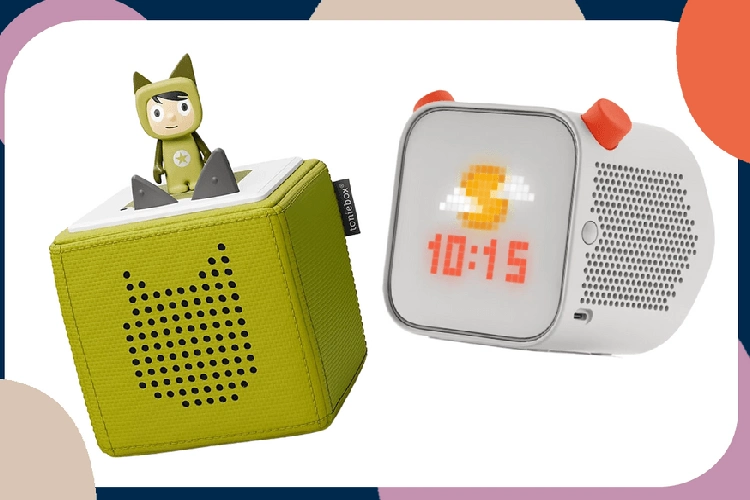
For the under-2 stage, the Yoto earns its keep mostly through content designed for sleep, not stories a baby will follow along with. White noise and sleep soundscapes, lullaby cards, and the night light function (useful for late-night feeds and diaper changes without switching on a bright overhead light) cover most of what a baby actually needs from it. Families with a 4th generation player can also set up the Green Button with a short rotation of nighttime sounds, so a tired parent isn’t hunting for the right card at 2 a.m. — one press gets the same soundscape every time.
Yoto Player vs Yoto Mini for a Nursery
Between the two devices, the full-size Player is the better fit for a baby’s room. It’s meant to stay in one place, has the bigger speaker, and doesn’t need to be carried around by small hands the way the Mini does. Save the Mini for once your child is older and traveling more — our Yoto Mini 4th Gen review covers what it’s actually built for.
Is It Worth the Money If Your Baby Won't "Use" It Independently Yet?
At $99.99 to $149.99 depending on generation, a Yoto Player costs more upfront than a basic sound machine, and for the first year or two, it’s mostly functioning as one. Where the math starts to work in its favor is the timeline: the same device that plays lullabies for a newborn is still fully useful for a 6-year-old listening to audiobooks or a 10-year-old picking their own podcasts. Framed as a single nursery-through-childhood purchase rather than a baby toy with a short shelf life, the cost spreads out over close to a decade of use, which is a very different value proposition than buying a sound machine you’ll retire in a year.
Frequently Asked Questions
Can a newborn use a Yoto?
Not independently. At that age it functions as a parent-operated audio device, mainly for white noise and lullabies rather than anything the baby interacts with directly.
Is the Yoto Mini safe to keep in a crib?
It’s not recommended. Keep any Yoto device, its cards, and its charging cable outside the crib, on a nearby shelf or dresser instead.
What's the youngest age Yoto officially supports?
Yoto certifies its devices for ages 3 and up, though many parents start using the audio content passively from infancy under adult supervision.
Will it still be useful once my baby grows up?
Yes. The content library and interactive features scale from infant sleep sounds up through material aimed at kids 12 and older, so the same device keeps working as your child grows.
Final Verdict
A Yoto Player isn’t officially a baby product, and it won’t do anything for a newborn that a dedicated sound machine can’t do just as well for less money. But if you’re planning to buy one eventually anyway, starting early as a nursery audio tool — with the safety precautions above in place — means you’re not paying twice, once for a baby-stage sound machine and again for a kid-stage story player. For families set on going screen-free from the start, that head start is worth it. For anyone just looking for background noise for the next year, a simpler sound machine is the more budget-friendly choice until your child is closer to the age Yoto is actually built for.